


All blogs
Magic School AI vs 6 of the Most Mentioned AI for Teachers: Which Tool Is the Best for You?
Share


 Copied

AI

3min read

November 18, 2025
What is Magic School AI?
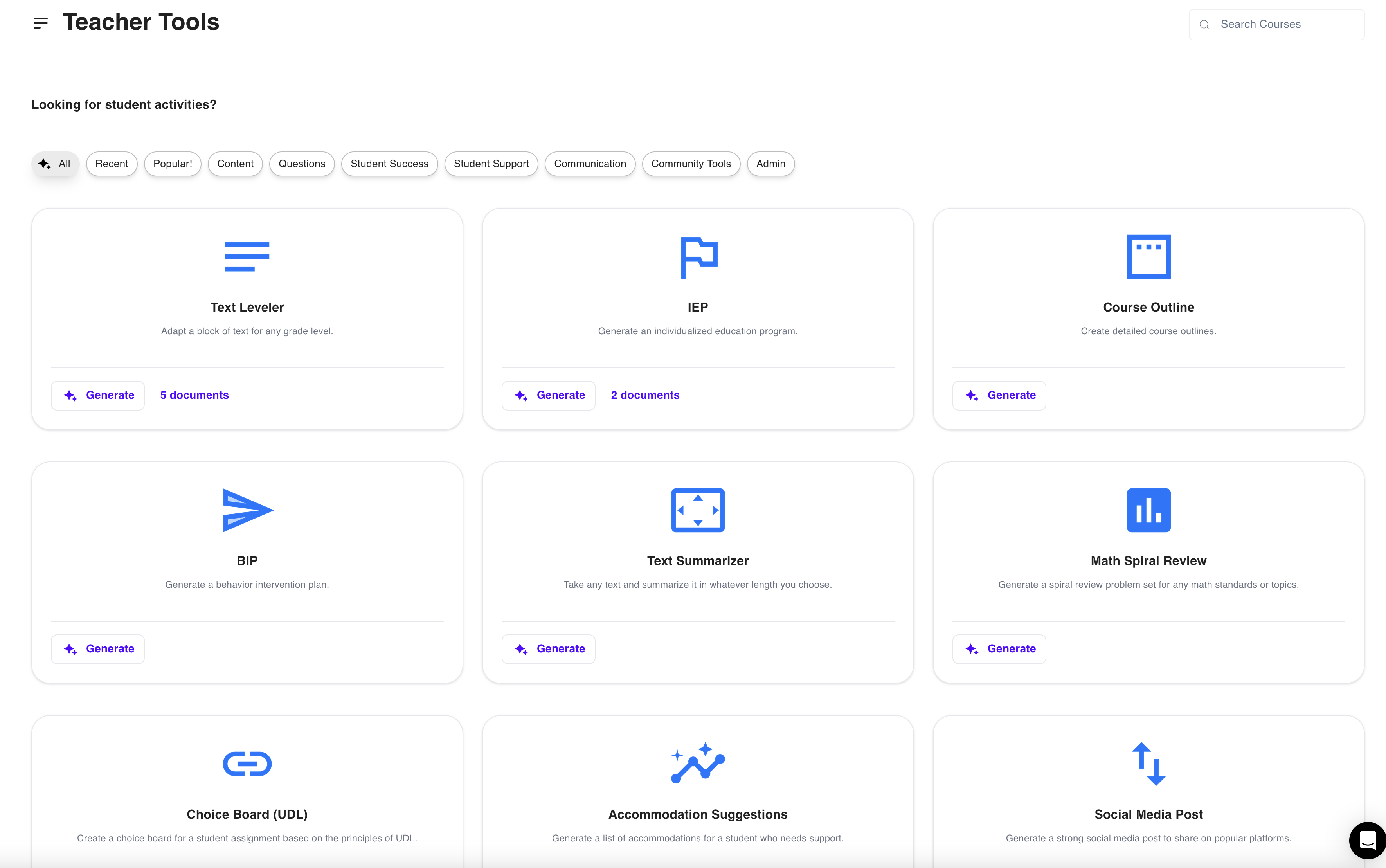
Magic School AI is an AI-powered platform that supports teachers with lesson planning, content creation, and classroom management. Its goal is to save time by automating repetitive tasks, offering ready-made teaching materials that teachers can quickly implement.
While it’s one of the more well-known tools, it’s not the only option—and that’s where this comparison comes in. Let’s take a look at how Magic School AI stacks up against six of the most mentioned alternatives in teacher communities.
What Teachers Love About Magic School AI:
- Time-saving automation: Teachers appreciate how Magic School AI cuts down the time spent on lesson planning and resource creation.
- User-friendly interface: The platform is easy to navigate, making it accessible for educators who are new to AI tools.
- Customizable content: Teachers can adjust generated content to suit their students’ needs, making lessons more personalized.
- Broad functionality: From content creation to classroom management, Magic School AI provides a wide range of tools in one platform.
- Built-in assessment tools: The platform’s assessment generation capabilities help teachers quickly create quizzes and tests to measure student understanding.
Why Teachers Could be Looking for Magic School AI Alternatives:
- Limited interactivity: While Magic School AI offers great content creation tools, many teachers find its resources more static and text-based, lacking the interactive elements that engage students directly.
- Overwhelming number of tools: With over 70 tools available as of writing, some teachers feel Magic School AI’s platform can be overwhelming. Navigating through so many features can make it hard to focus on the ones that are most relevant for their needs, leading them to seek simpler alternatives.
- Niche tools for specific needs: Teachers seeking more specialized AI tools for differentiated instruction, real-time student engagement, or personalized tutoring often find themselves exploring alternatives that cater to these specific needs better.
- Pricing and access: While Magic School AI has a variety of features, some teachers are looking for free alternatives or more budget-friendly options that provide similar value without needing to upgrade to premium plans.
How 6 of the Most Mentioned AI Tools for Teachers Compare to Magic School AI
| AI Tool | Key Focus | How it Compares to Magic School AI |
| Athena AI | All-in-one solution with interactive content, prompt creation, assessments, and chatbots | Offers dynamic interactive materials and real-time sharing; Magic School AI lacks interactive content and has more complex sharing options |
| Brisk | Automation of lesson planning, feedback generation, and admin tasks with seamless integration | Provides better integration with popular platforms; automates admin tasks Magic School AI doesn’t handle |
| Eduaide.AI | Customized lesson plans, differentiated assessments, and detailed instructional planning | Offers more detailed assessment tools and structured differentiation; Magic School AI provides broader, less customizable plans |
| Diffit | Differentiated learning, reading levels, and content tailored to student abilities | Specializes in differentiated content, particularly in reading levels; Magic School AI does not adjust content for reading abilities |
| Curipod | Interactive presentations, real-time engagement, and collaborative lesson planning | Focuses on real-time interaction and collaborative presentations; Magic School AI focuses on static content |
| School AI | Personalized AI tutoring, multi-language support, and student-centered learning tools | Provides AI tutoring and multilingual capabilities; Magic School AI is more teacher-focused with fewer student interaction tools |
1. AthenaEdu: Overall Best Generative AI Assistant for Educators
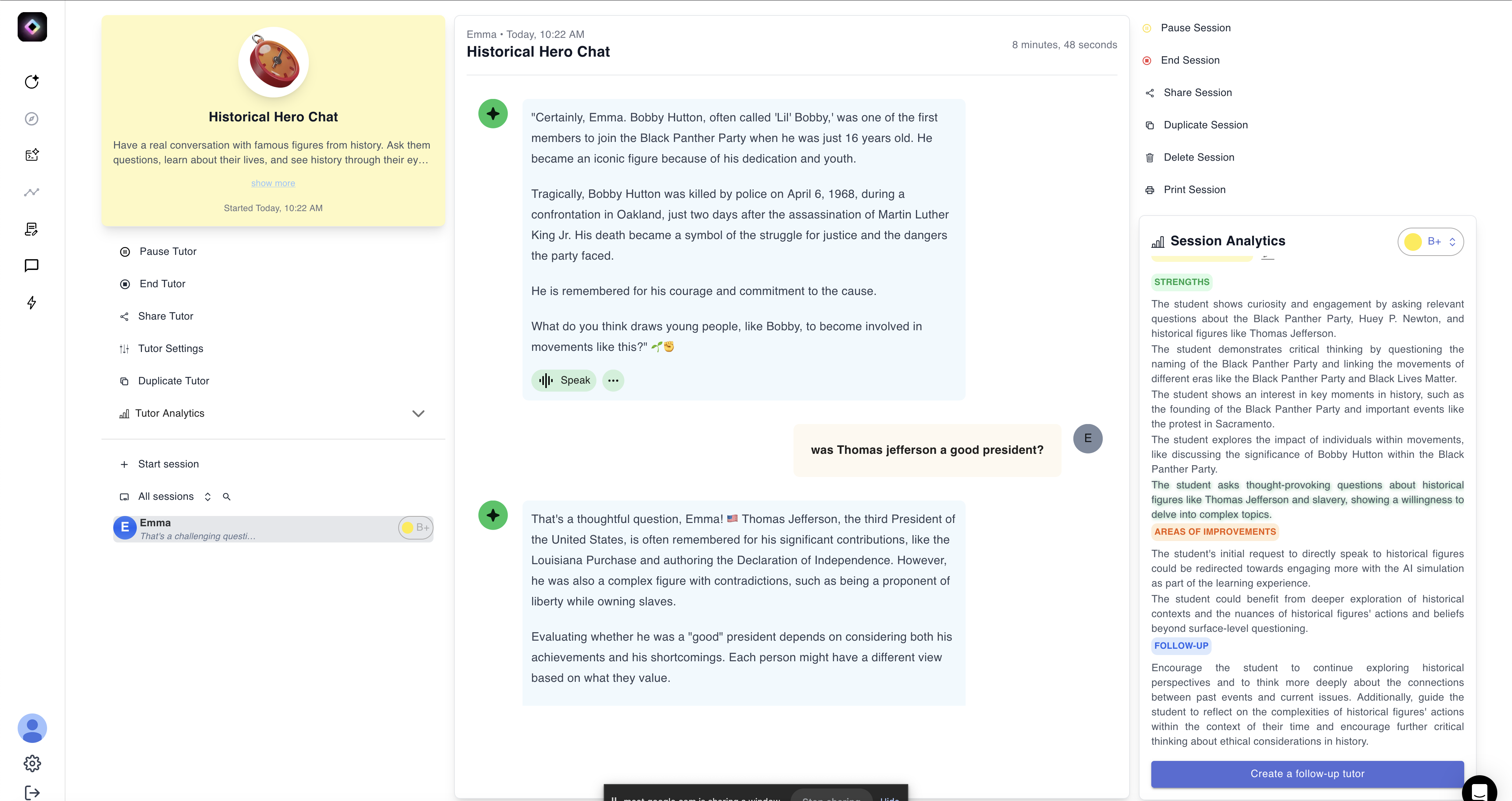
Athena stands out as one of the closest, if not better, tools to Magic School AI, offering an all-in-one solution for teachers looking to streamline their workload while maintaining high-quality, personalized teaching materials.
It covers a wide array of teaching needs, including lesson planning, interactive content creation, student assessment, and even customizable chatbots for classroom support—all while ensuring that materials are personalized to fit each educator’s specific requirements.
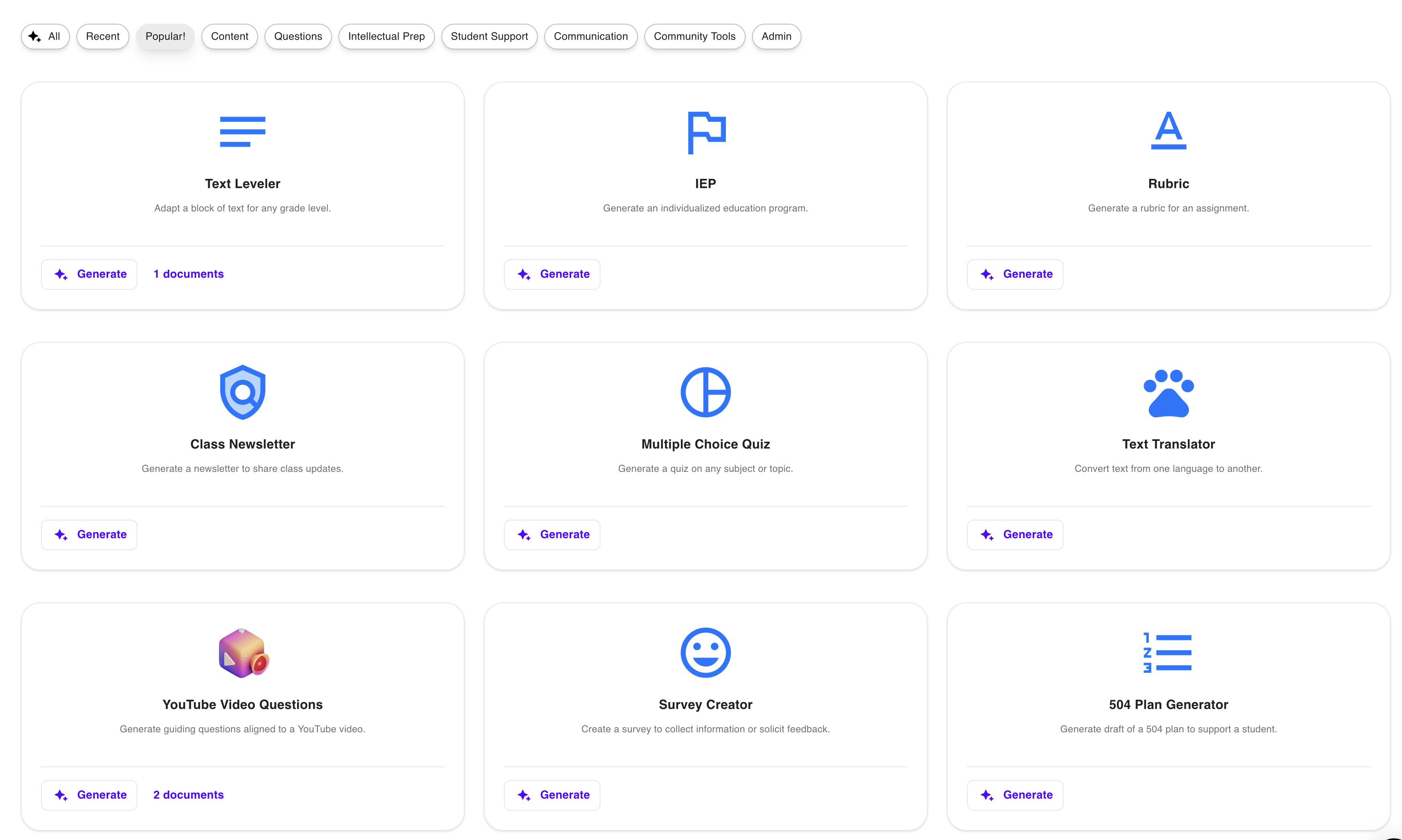
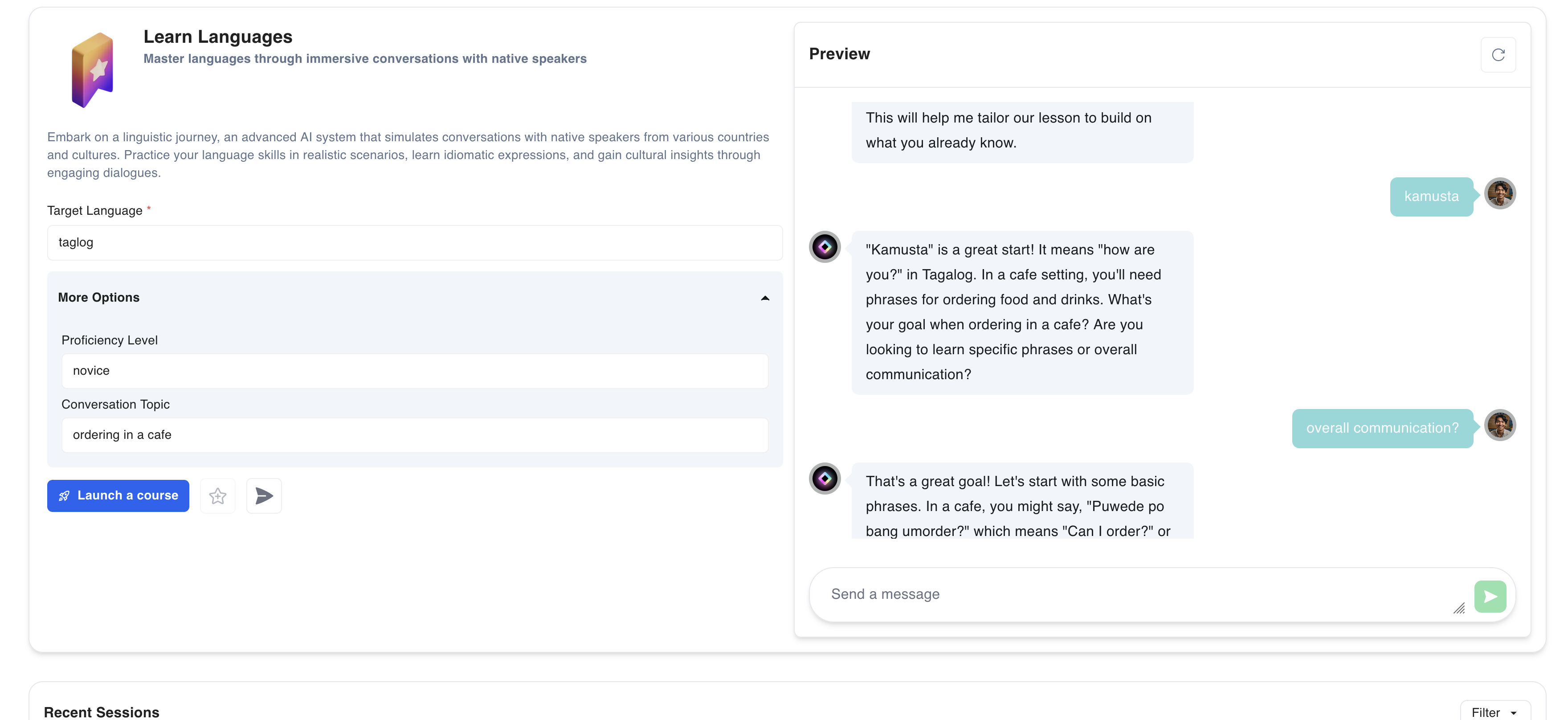
Athena’s prompt options range from inputting a topic, text, webpage, or document.
Athena takes it further by transforming what could be static materials into dynamic learning activities. This feature sets it apart from Magic School AI, as Athena enables students to interact with the content asynchronously, ensuring that learning goes beyond simple text-based resources.
One of the most valuable features of Athena AI is its ability to streamline the process of prompt creation. Teachers can easily generate instructional content by inputting a topic, text, webpage, or any existing document. This reduces the complexity of prompt engineering, making it especially beneficial for educators new to AI.
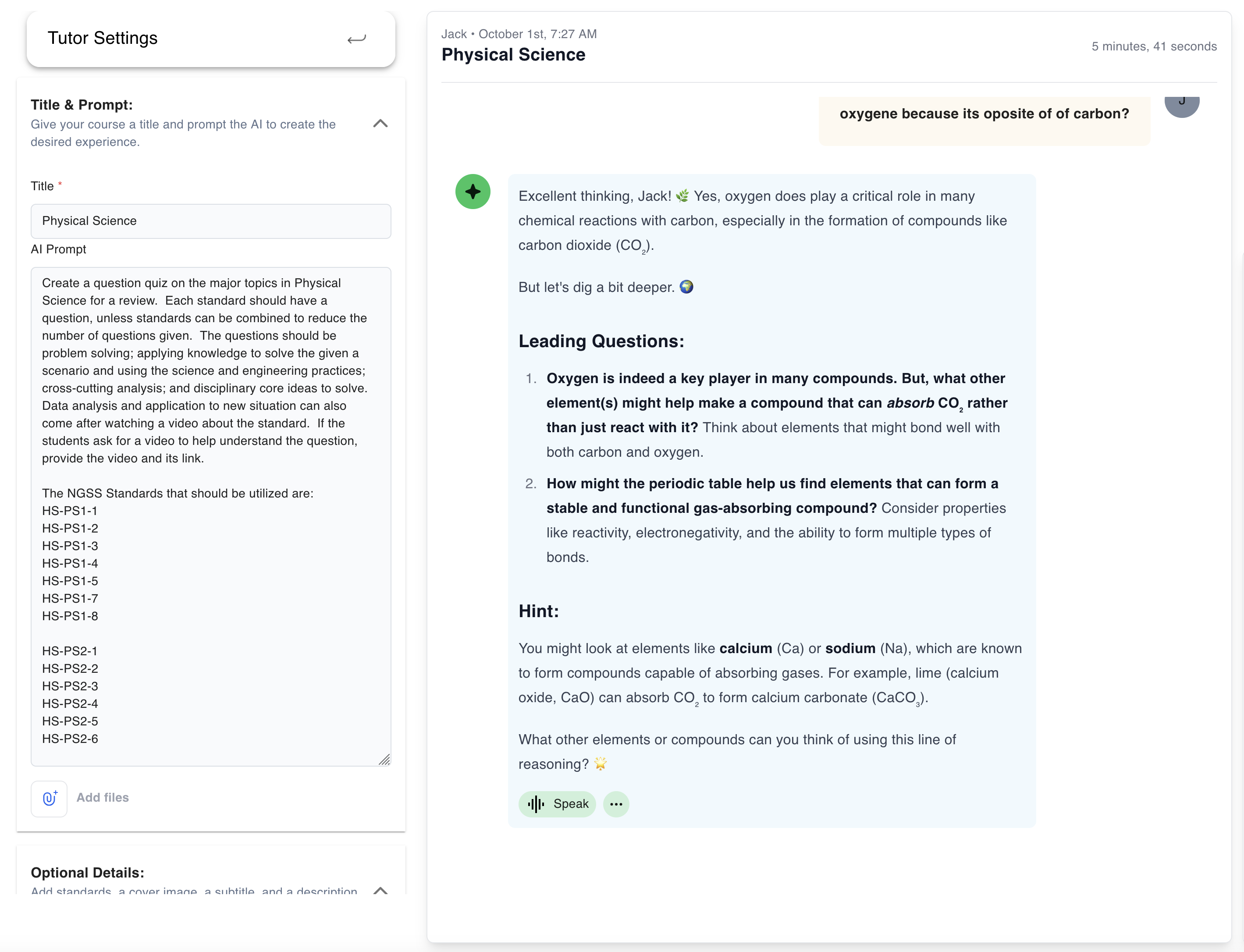
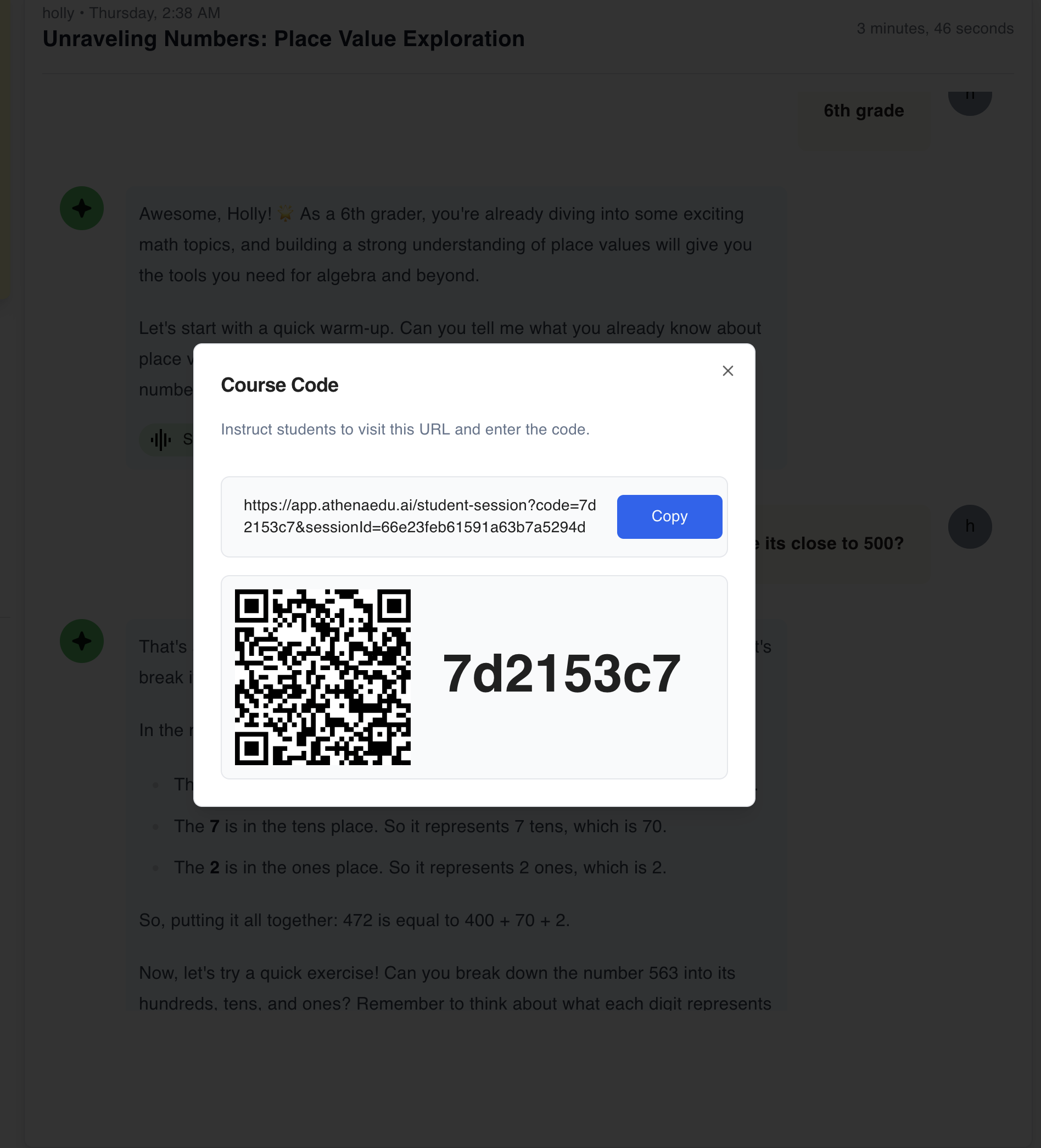
Launching an Athena-Generated Course
Teachers can create student quizzes and courses that are easily shareable via a scannable QR code or a copyable link, enabling instant access for students.
Athena AI’s Built-In Resource Library
How Athena AI Compares to Magic School AI:
1. Interactive AI Content
Athena AI creates dynamic, interactive materials like quizzes, flashcards, and audio-supported reading exercises. These materials are designed for students to engage with asynchronously, allowing them to learn at their own pace.
Magic School AI, in contrast, focuses on more static, text-based content, which can limit student engagement and flexibility.
2. Instantly Shareable AI Teaching Materials
Athena AI makes sharing simple and instant. With a single click, teachers get a QR code or direct link to share with students, letting them access content right away.
Magic School AI requires more setup steps, like creating student rooms and customizing templates, which can delay the sharing process and make it more complex for teachers.
3. Google Drive-Like Resource Library
Athena AI features a dedicated resource library where teachers can save, organize, and share all their materials in unlimited folders. It’s a collaborative space that’s easy to manage and navigate.
Magic School AI offers an Output History, but organizing resources is more limited, and full access requires upgrading to paid plans.
4. Fully-Designed AI Slides
Athena AI includes a slide generator with pre-designed themes, allowing teachers to quickly create visually appealing slides. It even integrates with Google Images, so adding or revising images is easy.
Magic School AI lacks built-in slide designs or image integration, which means more manual effort to create a complete presentation.
Unique Athena AI Tools Not Available in Magic School AI
- Interactive Flashcards Maker
- Teaching Resources Finder
- AI Text-to-Speech
- Reading Comprehension Quizzes
Taking it up a notch further, Athena AI provides valuable AI-powered insights into student progress and engagement. This real-time feedback helps educators monitor where students may need additional support and also keeps students informed about their own performance during assessments.
2. Brisk Teaching: The Automation Powerhouse
Brisk is designed to enhance teacher productivity by automating various tasks, from lesson planning to feedback generation. Its standout feature is its seamless integration with popular tools like Google Workspace, Canvas, and other LMS platforms, making it easy to use across multiple systems. Brisk simplifies administrative tasks, allowing educators to focus more on student interaction and less on paperwork.
How It Compares to Magic School AI:
- Integration: Brisk’s integration with Google Workspace, Canvas, and other LMS tools gives it a significant edge over Magic School AI, which operates as a standalone platform.
- Automation: While both platforms offer lesson planning, Brisk goes a step further by automating admin tasks like email creation and feedback generation, something Magic School AI doesn’t emphasize.
- Flexibility: Brisk allows teachers to generate content from external sources like YouTube videos or articles, offering more flexibility in content creation compared to Magic School AI’s more structured templates.
Verdict: Brisk is ideal for educators looking to automate administrative tasks and integrate AI tools with existing platforms, providing an efficient alternative to Magic School AI.
3. Eduaide.AI: Tailored Instructional Support
Eduaide.AI focuses on personalized instruction, helping teachers craft customized lesson plans and assessments. With over 100 types of teaching resources and a built-in assessment builder, Eduaide allows educators to adapt materials based on student needs. Its detailed lesson objectives and differentiated instruction features make it a solid choice for teachers who need more control over their classroom content.
How It Compares to Magic School AI:
- Assessment Focus: Eduaide’s key strength lies in its assessment builder, allowing teachers to create tailored assessments based on difficulty levels. Magic School AI, while offering assessment tools, doesn’t provide the same level of customization.
- Collaborative Features: Eduaide encourages collaboration through its AI teaching assistant, which teachers can chat with to refine lesson plans. Magic School AI lacks this collaborative element.
- Differentiation: Eduaide aligns lessons and objectives with the 5E instructional model, offering a more structured, differentiated approach than Magic School AI’s broader lesson plans.
Verdict: Eduaide.AI is the go-to choice for teachers who need detailed, differentiated assessments and structured lesson support, offering more depth in planning than Magic School AI.
4. Diffit: Master of Differentiated Learning and Worksheets
Diffit is built around one primary goal: making differentiated learning simple. Teachers can easily convert content into different reading levels or create varied assessments tailored to student abilities. Diffit’s ability to generate materials for various student needs, whether it’s simplifying texts or adjusting quizzes, ensures that teachers can support a diverse range of learners in their classrooms.
How It Compares to Magic School AI:
- Differentiation: Diffit excels in creating leveled instructional materials tailored to different student abilities, something Magic School AI does not specialize in.
- Reading Levels: Teachers can convert any content into different reading levels with Diffit, allowing for more accessibility in lesson delivery. Magic School AI offers lesson generation but lacks the ability to adjust content for varying reading abilities.
- Specialization: Diffit focuses specifically on text-based differentiation, while Magic School AI takes a broader approach, offering a variety of tools but lacking in specialized differentiation.
Verdict: If differentiated learning is your top priority, Diffit provides a specialized solution that Magic School AI doesn’t match, especially for adapting content to varying student abilities.
5. Curipod: Engaging Students with Interactive Presentations
Curipod focuses on making lessons more engaging by offering customizable, interactive presentations. Teachers can create real-time polls, quizzes, and open-ended questions to check student understanding during lessons. With a library of community-shared lesson templates, Curipod makes it easy to deliver dynamic lessons that foster active student participation and collaboration.
How It Compares to Magic School AI:
- Real-Time Interaction: Curipod’s interactive presentations engage students in real time through polls, open-ended questions, and instant feedback, whereas Magic School AI focuses on more static content creation.
- Collaborative Lesson Creation: Teachers can collaborate on lessons with Curipod, an advantage over Magic School AI, which does not offer multi-user collaboration for lesson planning.
- Templates: Curipod provides community-shared lesson templates, making it easy to find pre-built content, while Magic School AI’s templates are more restricted to its own content library.
Verdict: For teachers seeking real-time student engagement and collaborative lesson planning, Curipod offers an interactive alternative that Magic School AI doesn’t focus on.
6. School AI: The AI Tutor for Personalized Learning
School AI brings a unique feature to the table with its “AI Spaces,” where students can interact with personalized AI tutors. This platform offers tailored support for students in various subjects and grade levels, while also providing teachers with tools for lesson planning, report writing, and quiz creation. Its focus on personalized learning makes it a great choice for classrooms needing individualized attention for students.
How It Compares to Magic School AI:
- Personalized Learning: School AI provides AI “Spaces” where students can interact with an AI tutor tailored to their needs, a feature Magic School AI doesn’t offer. Magic School AI is more teacher-focused, with fewer direct student interaction features.
- Student-Centered Tools: School AI emphasizes personalized student dashboards and real-time feedback, while Magic School AI centers its functionality around content creation and lesson planning for teachers.
- Multi-Language Support: School AI’s multi-language capabilities allow teachers and students to interact in several languages, making it more inclusive than Magic School AI, which primarily focuses on English content.
Verdict: School AI is a powerful tool for classrooms that need personalized AI tutoring and multilingual support, making it a strong alternative to Magic School AI for student-centered learning.
Choosing the Right AI Tool for Your Classroom
With a growing number of AI tools available to educators, it’s important to choose the one that best fits your classroom needs. While Magic School AI offers a solid platform for lesson planning and content creation, each of the alternatives in this list brings its own unique strengths to the table. Here’s a quick breakdown of how these AI tools stack up:
- Athena AI: The most comprehensive option, offering dynamic, interactive features that go beyond the usual text-based output. Ideal for teachers who want an all-in-one solution that combines ease of use with engaging, student-centered content.
- Brisk: A productivity powerhouse that excels in automating lesson planning, feedback generation, and administrative tasks. Perfect for educators looking for seamless integration with existing platforms like Google Workspace and LMS tools.
- Eduaide.AI: Tailored for teachers who need personalized lesson plans and differentiated assessments. Its strength lies in providing structured support for instructional planning and deep customization of classroom materials.
- Diffit: Best for differentiated learning, helping teachers create materials tailored to students’ reading levels and learning abilities. Great for classrooms with diverse student needs where customized learning content is a priority.
- Curipod: Focuses on real-time student engagement through interactive presentations, polls, and quizzes. Ideal for educators who want to foster collaboration and participation in their lessons.
- School AI: Provides personalized AI tutoring and multi-language support, making it a strong choice for student-centered learning environments. It’s best for classrooms needing individualized student support and tailored learning experiences.
Ultimately, the best AI tool for your classroom depends on your specific goals—whether you’re looking for interactivity, automation, differentiation, or personalized learning support. Each tool on this list has the potential to elevate your teaching experience, helping you save time and better support your students.
Whichever you choose, these AI tools represent the future of education, offering innovative ways to enhance both teaching and student engagement.









CustomersWhy Schools love Athena
Community of 8k+ members.
I used to spend hours creating differentiated worksheets with limited impact. Now, I can see exactly where each student is struggling in real-time. I noticed six students struggling with fraction division conceptually, so I pulled them for a targeted mini-lesson while others continued progressing independently.

FAQs
Is Athena safe and compliant with educational privacy standards?

Can Athena be used for different subjects?
How does Athena handle feedback and improve its AI models?
How does Athena provide personalized learning for each student?
What is Athena, and how does it help teachers and students?
How can I get my school or district on board?
How does Athena support responsible AI use for students?
What happens with student data?
Related blogs

2025-06-16 06:28:00 K-12
The Socratic Method of Teaching: Save These Examples & Tips
2025-08-22 23:29:00AI
48 Best ChatGPT Alternatives: ChatGPT is Not the Only Tool for Education
2025-10-20 07:30:00How To
How To Use Perplexity AI for Teaching: Feature Deep Dive + Actionable Use Cases

2025-01-26 21:16:00News
Must-Read Top 10 Trends in Education 2025 and Actionable Insights for Teachers
2025-04-21 17:18:00News
10 Must-Have AI Tools for Teachers in 2025: Enhance Classroom Engagement with ChatGPT and Beyond
2025-08-27 03:13:00K-12
How Athena AI is Transforming K-12 Education Challenges Today
2025-06-04 04:56:00Guide
How to run AI privately on your own computer

2025-06-04 04:56:00New
Learn a new language with ChatGPT Voice
2025-10-22 07:30:00K-12
Top 8 Free Word Cloud Generator Apps You Need to Try in 2025
2025-02-14 04:28:00K-12
8 Best AI-Powered Teaching Assistants For the Busiest Teachers in 2025

Secure, Private, and Built for Schools


